

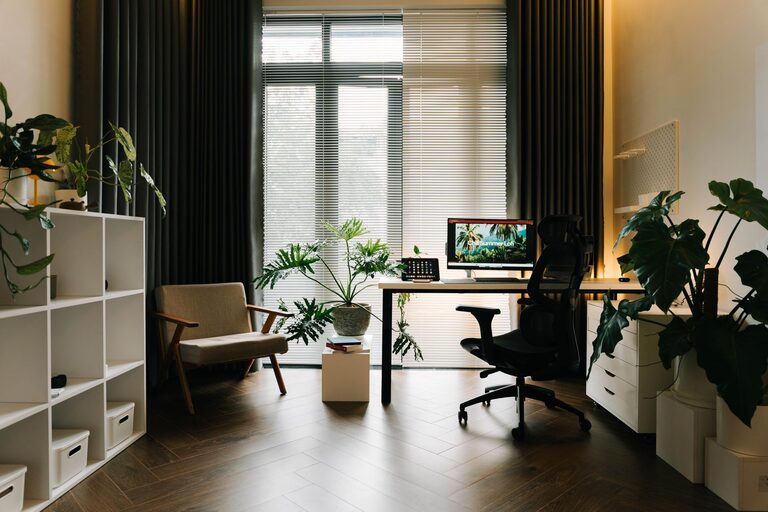
Creating a home workspace that balances comfort and efficiency is essential for staying productive and enjoying your workday. Whether you have a dedicated room or just a small corner, a cozy work environment can boost focus and reduce stress. Here are some practical tips to help you design a home workspace that feels inviting and supports your tasks.
Choose the Right Location
The first step to creating a cozy and efficient workspace is selecting the best spot in your home.
Consider Natural Light
Place your desk near a window if possible. Natural light improves mood and reduces eye strain. If natural light is limited, invest in quality lighting that mimics daylight.
Minimize Distractions
Pick a quiet area where you’re less likely to be disturbed by household noise or traffic. If space is limited, use noise-canceling headphones to maintain focus.
Assess Your Space Needs
Think about the size of your workspace. You need enough room for your computer, paperwork, and other essentials without feeling cramped.
Invest in Comfortable and Ergonomic Furniture
Comfort is key to maintaining productivity and avoiding discomfort.
Select an Ergonomic Chair
An adjustable chair with good lumbar support helps prevent back pain. Look for chairs that support your posture during long work hours.
Choose the Right Desk
Your desk should match the height of your chair and allow enough space for your equipment. Standing desks or adjustable desks provide flexibility to switch positions.
Add Support Accessories
Consider wrist rests, footrests, or an external keyboard and mouse to improve posture and reduce strain.
Organize for Efficiency
A clutter-free workspace fosters a clear mind and enhances focus.
Use Storage Solutions
Shelves, filing cabinets, and desk organizers keep documents and supplies orderly. Label storage containers for easy access.
Keep Only Essentials on Your Desk
Limit your desk surface to daily necessities to avoid distractions and mess.
Digital Organization
Maintain well-organized digital files and backups to reduce stress and save time searching for documents.
Personalize Your Space for Coziness
Adding personal touches makes your workspace inviting without sacrificing professionalism.
Incorporate Plants
Small indoor plants can improve air quality and add a calming touch to your workspace.
Use Soft Textiles
A cozy rug or a comfortable throw blanket on your chair can make your space warmer and inviting.
Display Inspiring Items
Photos, artwork, or motivational quotes help create an environment that inspires creativity and positivity.
Improve Lighting and Reduce Eye Strain
Good lighting is vital for comfort and productivity.
Invest in Task Lighting
Desk lamps with adjustable brightness help reduce eye fatigue, especially during late work hours.
Consider Screen Position and Brightness
Place your computer screen to avoid glare from windows or lights. Adjust brightness and contrast to comfortable levels.
Manage Cables and Tech Gear
A tidy workspace also means managing technology well.
Use Cable Organizers
Prevent tangled wires with cable clips or sleeves. This keeps your desk neat and reduces the risk of accidents.
Keep Devices Charged and Ready
Have chargers and power strips conveniently placed to keep all your devices ready without clutter.
Establish a Routine and Boundaries
Your workspace should help you maintain a healthy work-life balance.
Set Your Work Hours
Try to start and finish work at consistent times to establish a routine.
Take Regular Breaks
Breaks refresh your mind—stand up, stretch, or take a quick walk away from your desk.
Keep Your Workspace Separate
Avoid using your workspace for leisure activities to help mentally separate work from relaxation.
—
Creating a cozy and efficient home workspace does not have to be complicated or expensive. With thoughtful choices about location, furniture, organization, and personalization, your home office can become a place where comfort meets productivity. Start small, gradually improving your space to create an environment that supports your best work each day.